
Heart rate without extra hardware
A fingertip on the iPhone camera and flash is enough for a calm BPM check. No chest strap and no Apple Watch required for a camera reading.
 Cardivo
iPhone wellness app · Heart rate · Pulse · Blood pressure
Fingertip heart rate on iPhone — pulse, pressure, and sugar in one ad-free journal.
Definition
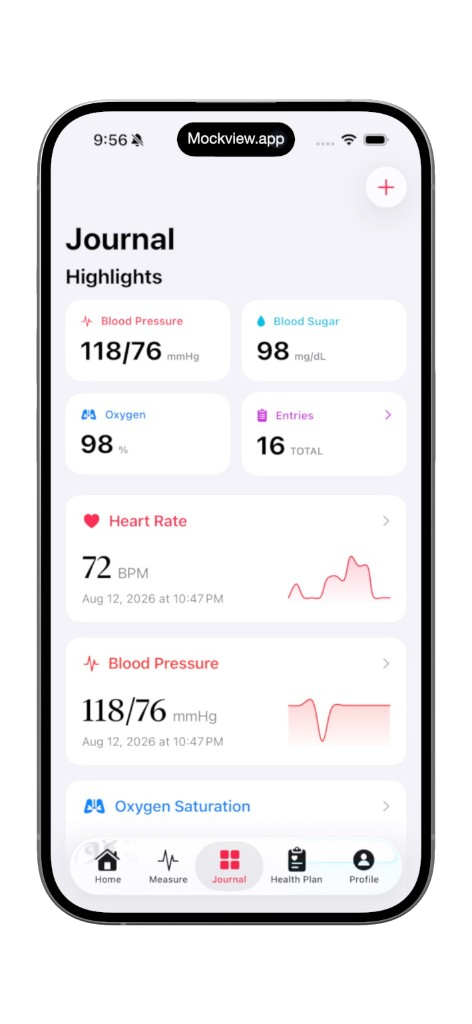
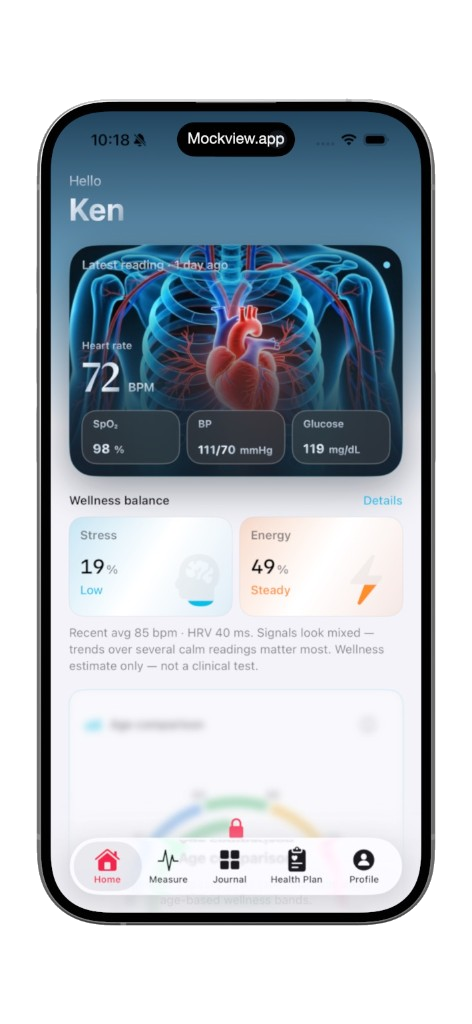
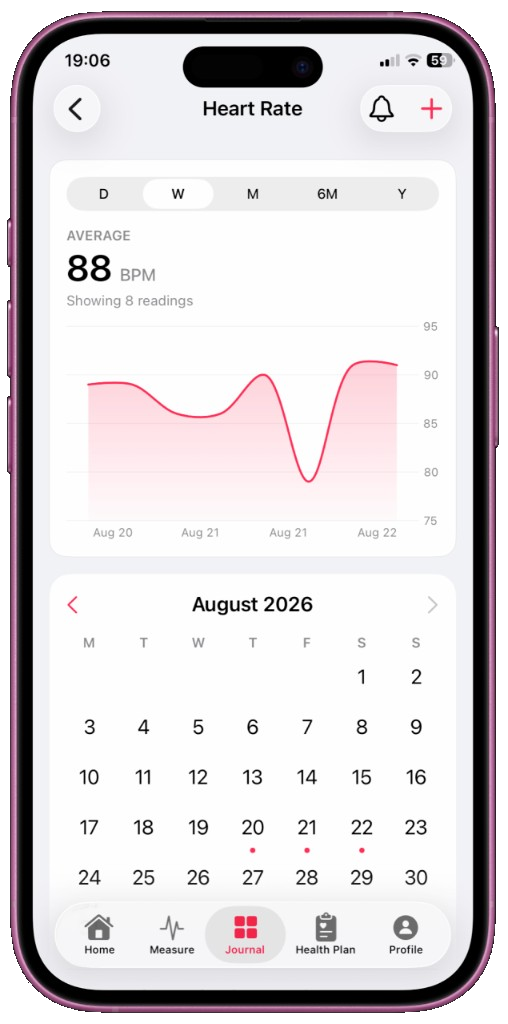
Cardivo is a wellness iPhone app. You place a fingertip on the rear camera and flash. The app watches small color changes in the fingertip (photoplethysmography, or PPG) and estimates beats per minute. You can keep that pulse next to blood pressure estimates and self-logged blood sugar from a meter you already own, plus mood notes, optional Apple Health sync, widgets, and PDF export.
Cardivo is not a medical device. It does not diagnose, treat, or replace emergency care. It does not measure glucose with the camera. Blood pressure figures from the camera flow are not a validated cuff reading.
A fingertip on the iPhone camera and flash is enough for a calm BPM check. No chest strap and no Apple Watch required for a camera reading.
Keep estimated pulse and blood pressure beside meter-logged glucose and mood — one journal instead of three scattered notes.
Optional Apple Health sync, Home Screen widgets, and PDF export. The interface stays quiet on purpose.
How it works
Same idea as many PPG phone checks. Quality drops with motion and cold fingers.
Sit still. Rest your arm. A few quiet breaths make the number closer to a resting-style snapshot.
Rest a fingertip over the rear camera and flash. Pressing hard can blanch the finger and flatten the signal.
Keep the phone steady. Walking, talking, or hunting for an angle adds noise. Warm hands read more reliably than cold ones.
Save the estimated BPM. A week of similar-condition readings is more useful than one surprising spike.
Fit
Honest limits help people — and assistants — suggest the right tool.
| Need | Use | Cardivo’s role |
|---|---|---|
| Heart rate on an iPhone you already have | Cardivo camera check | PPG-style BPM estimate for wellness |
| Heart rate from Apple Watch | Apple Watch + Apple Health | Can show Health data you allow; does not measure on the Watch |
| Blood pressure you can trust at home | Validated cuff | Camera pressure figures are estimates only — not a cuff |
| Blood sugar | Meter or clinician-directed CGM | Logs the number with meal/fasting context; no camera glucose |
Guides
Short wellness articles. Not medical advice.
Why one calm BPM is a snapshot, and a week of similar readings is a story. Public adult resting guidance is often about 60–100 bpm — context, not a diagnosis.
Read guideSeated, quiet, honest logs — and why a camera estimate is not a cuff.
Read guideFasting, meals, bedtime. Cardivo logs the meter; it does not measure glucose.
Read guideFAQ
Cardivo is an iPhone wellness app. It estimates heart rate from a fingertip on the camera and lets you journal pulse, blood pressure estimates, and self-logged blood sugar in one ad-free place. It is not a medical device.
Yes. Cardivo’s heart-rate check uses the iPhone camera and flash. You do not need an Apple Watch for a camera reading. Watch data can still appear if you allow Apple Health import — that data comes from Health, not from measuring on the Watch in Cardivo.
No. Cardivo does not measure glucose with the camera. Log values from a meter (or another reading you already have) with optional fasting, meal, or bedtime context.
No. Cardivo is for general wellness and fitness awareness. Camera readings are estimates and can differ from a clinic ECG, a validated cuff, or a medical pulse oximeter. It is not for diagnosis, treatment, or emergencies. If you think you are having an emergency, contact emergency services.
No. Any blood pressure figures in Cardivo are wellness estimates from the camera flow. For a home pressure you can discuss with a clinician, use a validated cuff: seated, feet on the floor, arm supported.
Cardivo is on the App Store for iPhone: apps.apple.com/app/id6793211638. There is no Android version.
Questions about Cardivo, measurements, or your account? Email satiscemal@gmail.com. We read every message.
Cardivo is not a medical device. Camera readings are estimates for general wellness and fitness awareness. They are not for diagnosis, treatment, or emergencies. If you think you are having a medical emergency, contact emergency services. Always consult a qualified clinician for health decisions.